
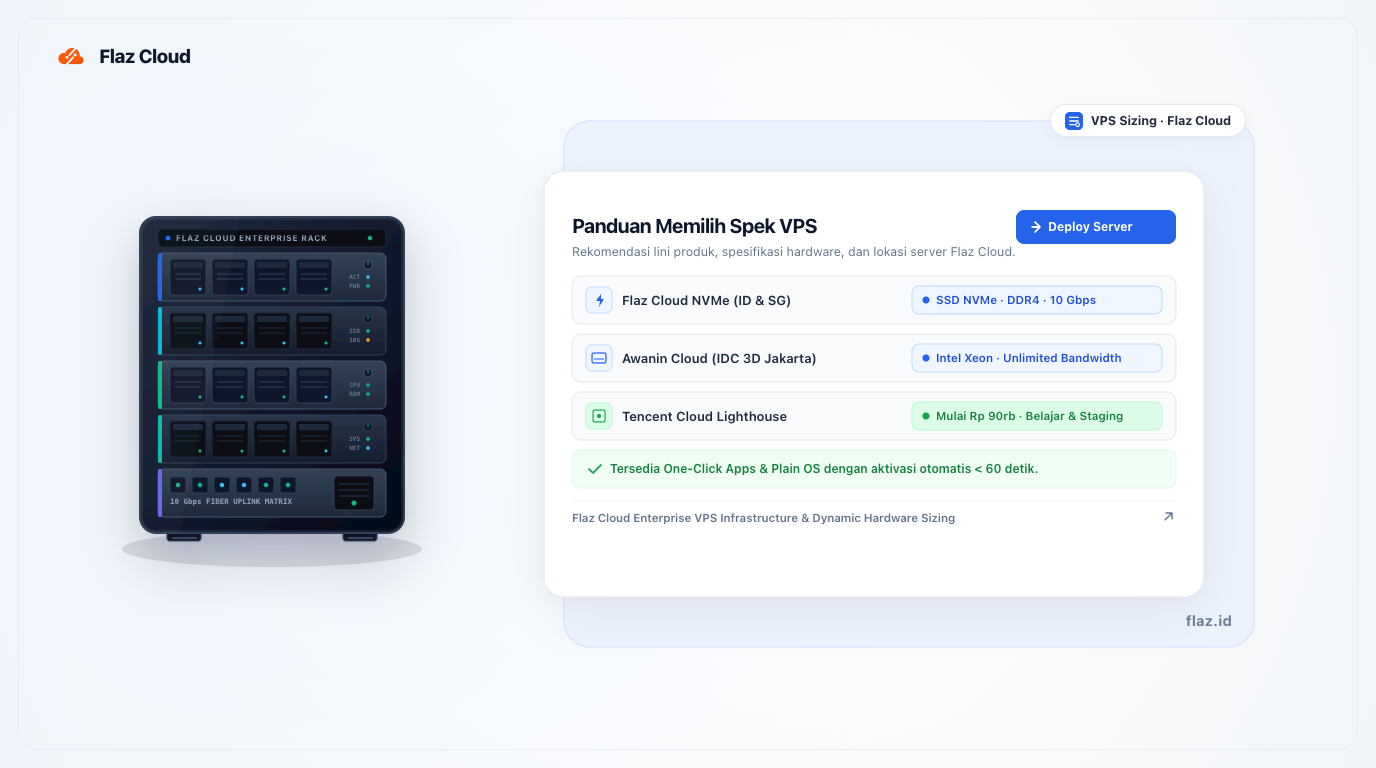
A concise breakdown of Flaz Cloud VPS product lines, covering Flaz NVMe, Awanin Cloud IDC 3D Jakarta, and Tencent Cloud Lighthouse specifications and pricing.
At Flaz Cloud, we offer three Cloud VPS product lines featuring different hardware configurations, datacenter locations, and pricing tiers. This concise guide summarizes the core strengths of each line to help you quickly choose the right package for your workload and budget.
1. Flaz Cloud NVMe (High Performance)
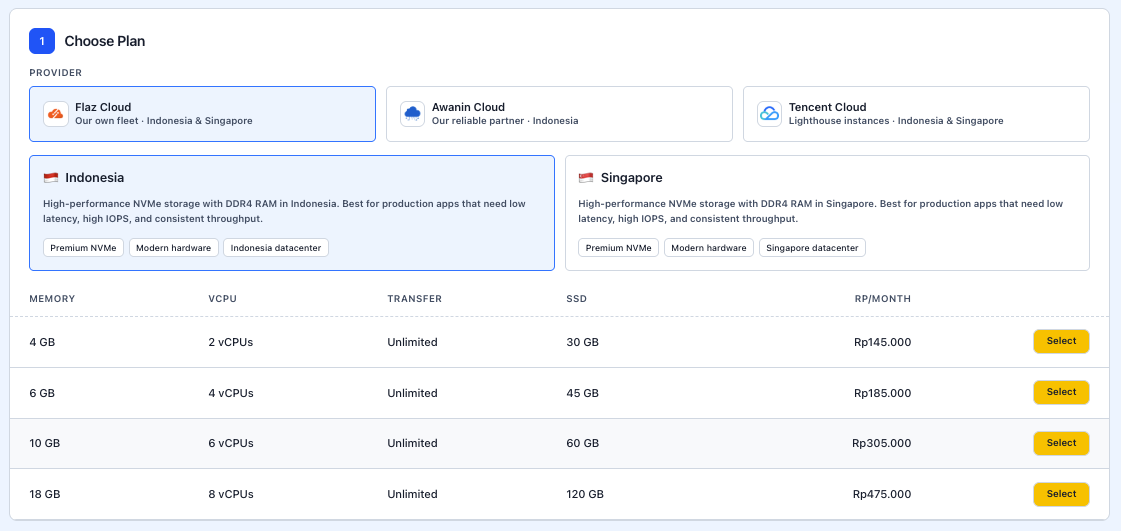
The Flaz Cloud line is engineered for production workloads that demand high disk read and write speeds alongside consistent throughput. This line utilizes SSD NVMe storage, DDR4 memory, and high-speed 10 Gbps network ports.
Indonesia Datacenter Location
Ideal for websites catering to local Indonesian visitors that require low latency and unlimited data transfer.
- 4 GB RAM / 2 vCPU Cores / 30 GB SSD / Unlimited Transfer: Rp 145,000 / month
- 6 GB RAM / 4 vCPU Cores / 45 GB SSD / Unlimited Transfer: Rp 185,000 / month
- 10 GB RAM / 6 vCPU Cores / 60 GB SSD / Unlimited Transfer: Rp 305,000 / month
- 18 GB RAM / 8 vCPU Cores / 120 GB SSD / Unlimited Transfer: Rp 475,000 / month
Singapore Datacenter Location
Ideal for websites targeting Southeast Asian regional traffic or applications connecting with international third-party APIs.
- 4 GB RAM / 2 vCPU Cores / 30 GB SSD / 1,000 GB Transfer: Rp 125,000 / month
- 6 GB RAM / 3 vCPU Cores / 50 GB SSD / 2,000 GB Transfer: Rp 195,000 / month
- 8 GB RAM / 4 vCPU Cores / 75 GB SSD / 2,000 GB Transfer: Rp 250,000 / month
- 16 GB RAM / 8 vCPU Cores / 100 GB SSD / 3,000 GB Transfer: Rp 525,000 / month
2. Awanin Cloud (Local Server at IDC 3D Jakarta)
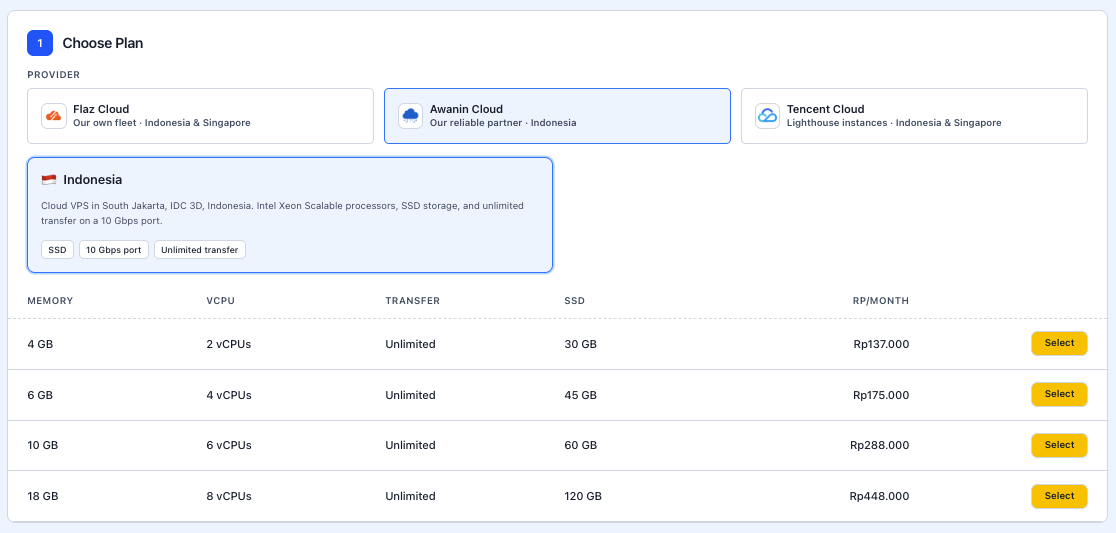
Awanin Cloud is a local Indonesian server line hosted at IDC 3D, South Jakarta. It is powered by Intel Xeon Scalable processors, enterprise SSD storage, and a 10 Gbps port with unlimited data transfer. It is a practical choice if you prioritize data residency in Indonesia and require large RAM allocations at cost-effective rates.
- 4 GB RAM / 2 vCPU Cores / 30 GB SSD / Unlimited Transfer: Rp 137,000 / month
- 6 GB RAM / 4 vCPU Cores / 45 GB SSD / Unlimited Transfer: Rp 175,000 / month
- 10 GB RAM / 6 vCPU Cores / 60 GB SSD / Unlimited Transfer: Rp 288,000 / month
- 18 GB RAM / 8 vCPU Cores / 120 GB SSD / Unlimited Transfer: Rp 448,000 / month
3. Tencent Cloud Lighthouse
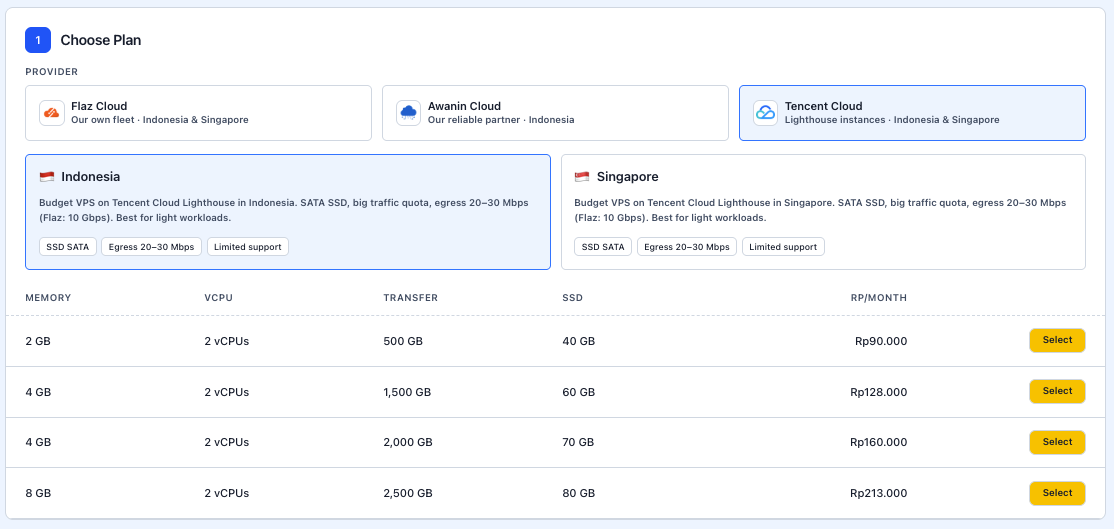
Tencent Cloud Lighthouse offers an economical solution for light to moderate workloads. It uses SATA SSD storage with generous monthly traffic quotas and network egress bandwidth ranging from 20 to 30 Mbps. It is well-suited for development servers, WhatsApp or Telegram bots, or staging environments.
Pricing and hardware specifications are identical across both Indonesia and Singapore locations:
- 2 GB RAM / 2 vCPU Cores / 40 GB SSD / 500 GB Transfer: Rp 90,000 / month
- 4 GB RAM / 2 vCPU Cores / 60 GB SSD / 1,500 GB Transfer: Rp 128,000 / month
- 4 GB RAM / 2 vCPU Cores / 70 GB SSD / 2,000 GB Transfer: Rp 160,000 / month
- 8 GB RAM / 2 vCPU Cores / 80 GB SSD / 2,500 GB Transfer: Rp 213,000 / month
Quick Plan Recommendations
- Choose Flaz Cloud NVMe if you operate production websites, active online stores, or high-transaction databases requiring rapid disk read and write performance.
- Choose Awanin Cloud if you require a local Jakarta server powered by Intel Xeon Scalable processors, unlimited data transfer, and generous RAM capacity with cost savings.
- Choose Tencent Cloud Lighthouse if you need an economical server for learning Linux administration, hosting lightweight bots, or running staging environments.
If you are new to Flaz Cloud, make sure you have reviewed our guide on How to Register an Account on Flaz Cloud and completed How to Verify Your Account Email so your server can be managed smoothly from your dashboard.
Was this article helpful?