
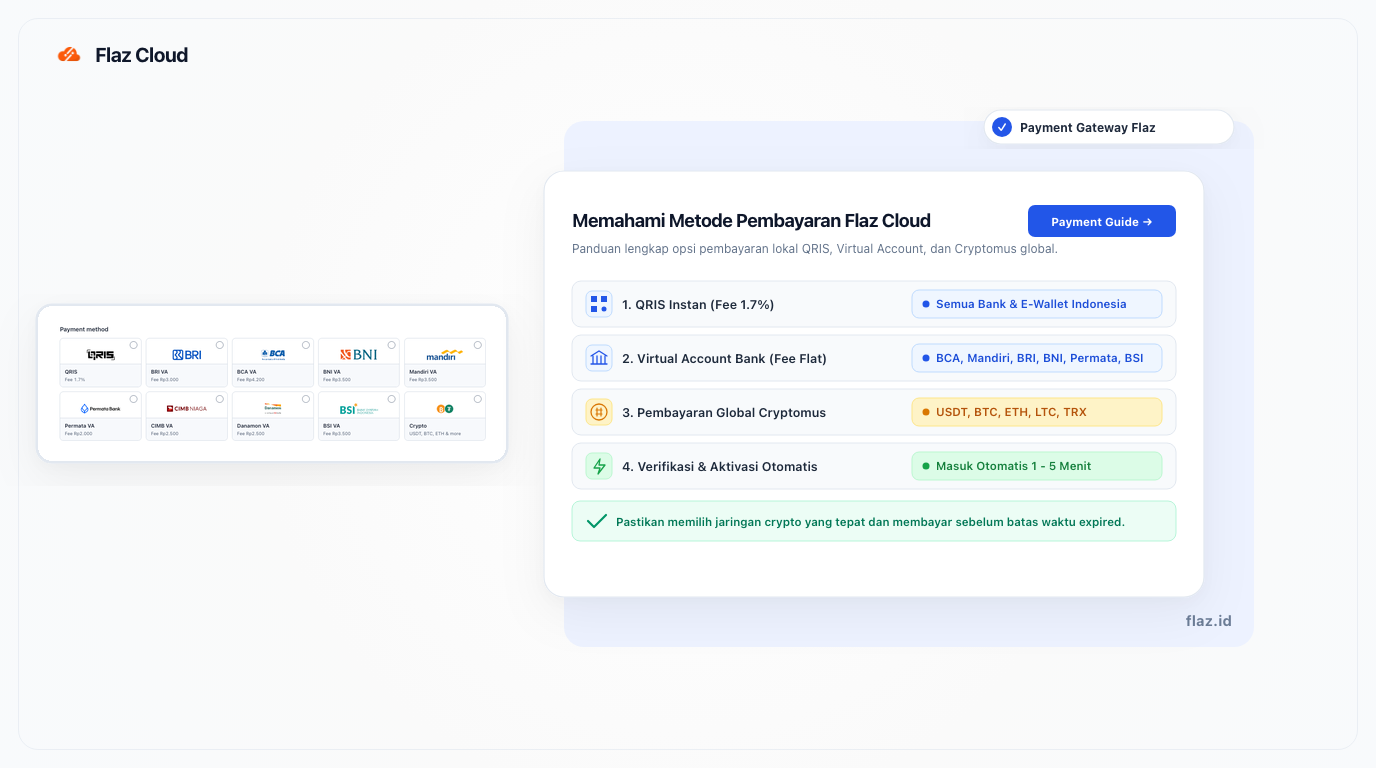
Overview of payment methods available on Flaz Cloud via QRIS, Virtual Accounts, and Cryptomus, including fee schedules, payment rules, and troubleshooting.
Choosing the right payment method ensures a smooth experience when subscribing to services on Flaz Cloud. We offer two primary payment channels to accommodate your needs: QRIS and Virtual Accounts for local Indonesian payments, and Cryptomus for digital cryptocurrency assets.
This article outlines the applicable transaction fees, available payment channels, and key technical factors to keep in mind when completing transactions.
1. Local Indonesian Payments via QRIS & Virtual Accounts
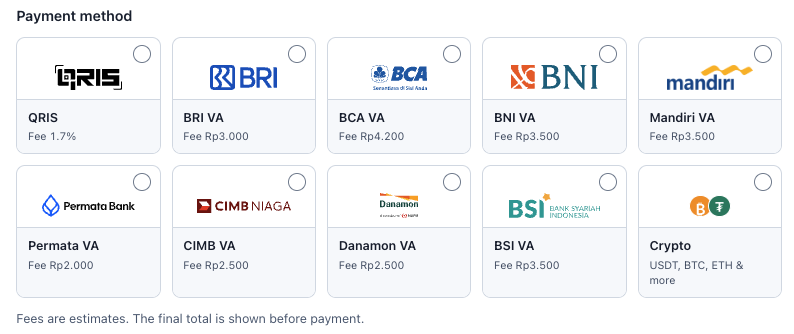
Local payments are verified automatically. Your prepaid wallet balance or ordered services are typically activated within minutes once payment is confirmed by the banking network.
Below is the list of available payment channels and their transaction fees:
QRIS
- Transaction Fee: 1.7%
- Supports instant QR scanning from all Indonesian mobile banking applications (BCA, Mandiri, BRI, BNI, CIMB Niaga, Permata, and others) as well as major electronic wallets (GoPay, OVO, DANA, ShopeePay, LinkAja, and AstraPay).
Bank Transfer via Virtual Account (VA)
Virtual Account payments do not require entering unique transfer codes, as the total invoice amount matches your account specific VA number.
- Permata VA: Fee Rp 2,000
- CIMB VA: Fee Rp 2,500
- Danamon VA: Fee Rp 2,500
- BRI VA: Fee Rp 3,000
- BNI VA: Fee Rp 3,500
- Mandiri VA: Fee Rp 3,500
- BSI VA: Fee Rp 3,500
- BCA VA: Fee Rp 4,200
- Additional banks supported: Bank BJB, Bank Sahabat Sampoerna
If you are new to our platform, please follow our guide on How to Register an Account on Flaz Cloud before placing an order.
2. Global Payments via Cryptocurrency (Cryptomus)
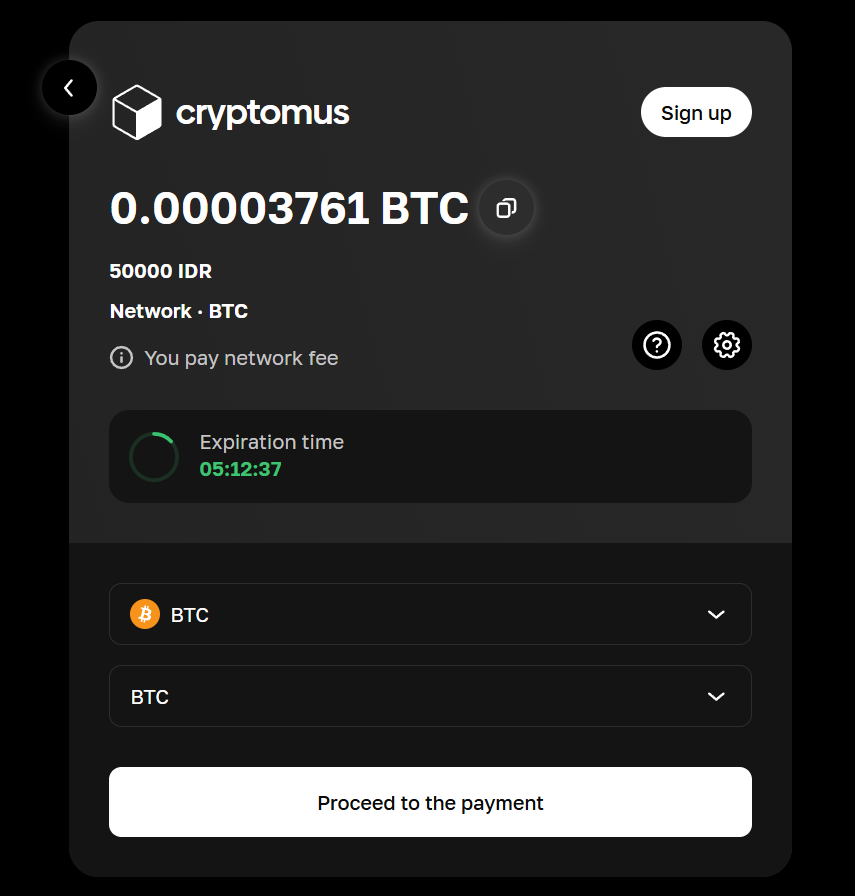
For international customers or those who prefer transacting with digital assets, Flaz Cloud supports the Cryptomus cryptocurrency payment gateway.
Supported digital assets include USDT, BTC, ETH, LTC, and TRX.
Keep the following technical considerations in mind to avoid transaction issues:
-
Select the Correct Blockchain Network Blockchain transactions are irreversible. If you are sending USDT via the Tron network (TRC20), ensure you select Tron (TRC20) on the invoice checkout page. Sending funds across mismatched networks can result in permanent asset loss.
-
Blockchain Network Confirmation Times Cryptocurrency payments require network block confirmations before an invoice is marked as paid. Confirmation times range from a few minutes to tens of minutes depending on traffic congestion on the selected blockchain.
3. Important Guidelines for Payments
-
Invoice Expiration Window (Expired Time) Each payment invoice includes an expiration timer. Once an invoice expires, do not transfer funds to the expired Virtual Account number or cryptocurrency address. Generate a new invoice directly from the dashboard so the system can match your payment automatically.
-
Account Email Verification Ensure your account email address is active and verified so that invoices, payment receipts, and deployment notifications reach your inbox promptly. You can review the instructions in our guide on How to Verify Your Account Email.
-
Payment Troubleshooting and Verification If you have completed payment but the invoice status has not updated to paid, keep your bank transfer reference number or blockchain transaction hash handy. Submit a support ticket through Contacting Flaz Cloud Support so our technical team can verify the transaction record manually.
4. What to Do If You Encounter an Issue
Occasional issues can occur during transactions, such as transferring an incorrect amount or blockchain network congestion. If this happens, there is no need to worry.
For payments where the status remains unpaid despite funds being deducted, please keep your payment receipt or transaction hash. Contact our support team promptly so we can perform a manual check. Before transacting, make sure your email is active and verified by following the guide on How to Verify Your Account Email so successful payment notifications arrive directly in your inbox.
5. Additional Notes
Remember that each payment method has its own expiration timeframe. If the time limit on the payment page runs out, generate a new payment request so our automated system can accurately reconcile incoming funds.
Was this article helpful?