
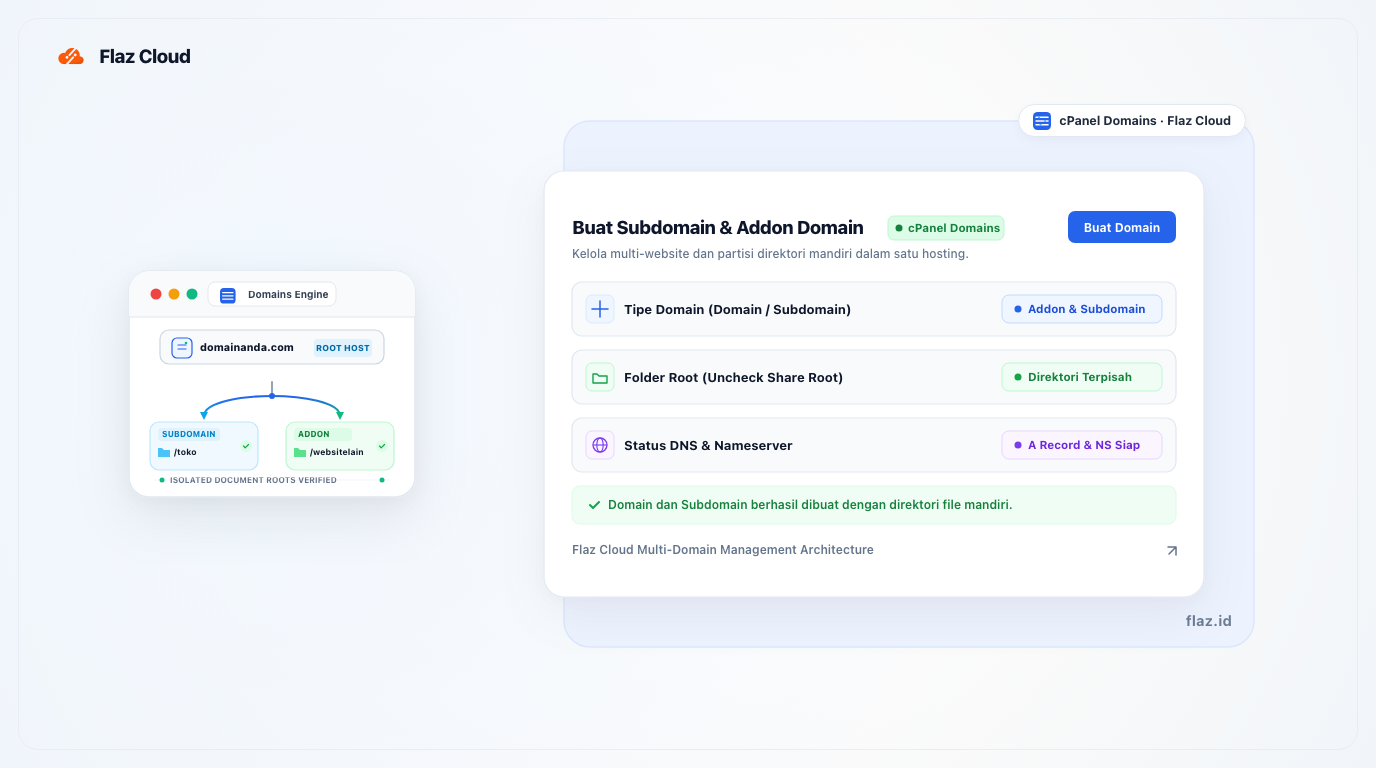
Want to add a new website to the same hosting? Learn how to easily create subdomains and addon domains in cPanel Flaz Cloud to keep your web management organized.
Have one hosting account but want to create multiple websites or divide your main website into several sections? You can do this very easily. You can use Subdomains for specific sections of your main website, or Addon Domain if you want to install a completely different domain name in the same hosting account.
The steps are now much simpler because the latest cPanel combines the settings in one main menu. Let's discuss how so you can practice right away.
Understanding the Brief Difference
Before you start, you need to know which one you need. Subdomain is usually used for sections of your main website, for example blog.yourdomain.com or member.yourdomain.com. Meanwhile, Addon Domain is used if you have a new different domain, for example anotherwebsite.com, but you want to place it in your existing hosting.
Make sure your account is ready to use by following the guide How to Register a Flaz Cloud Account. Don't forget to also do How to Verify Your Flaz Cloud Account Email so that domain configuration notifications arrive in your email smoothly.
How to Create an Addon Domain
To add a new domain to your hosting, please follow these steps:
-
Log in to your cPanel. If you don't know how, please see the article How to Log in to cPanel Flaz Cloud.
-
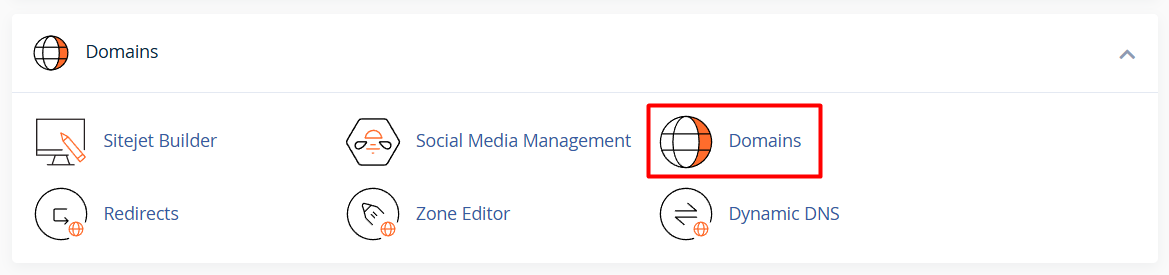
Find the Domains category then click the menu named Domains.
-
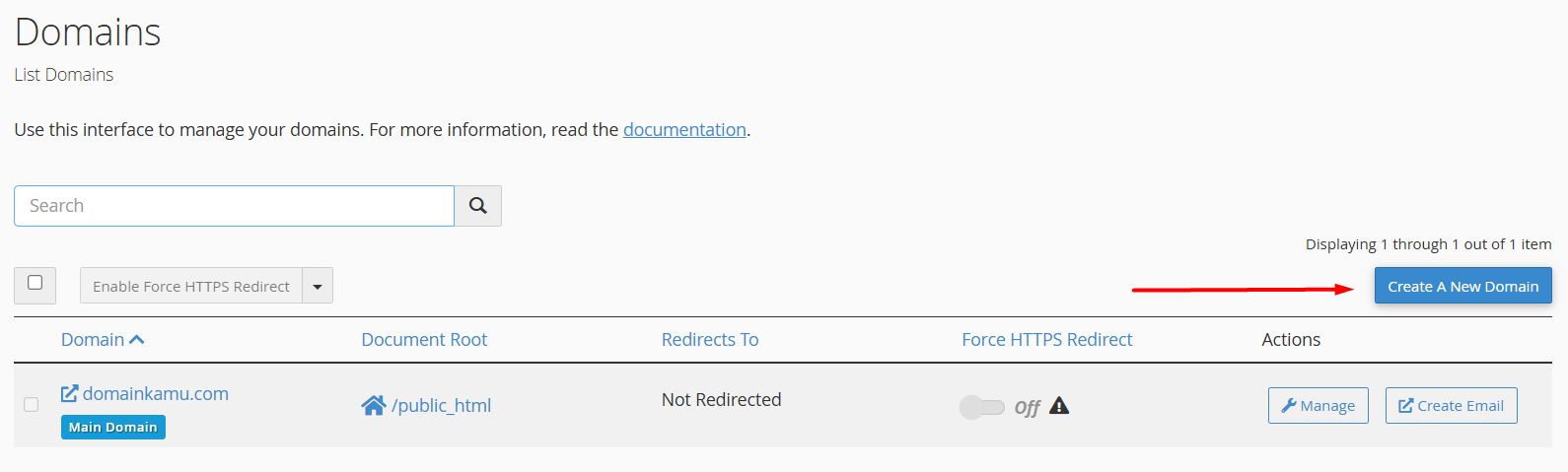
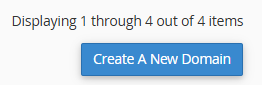
Click the blue button labeled Create A New Domain.
-
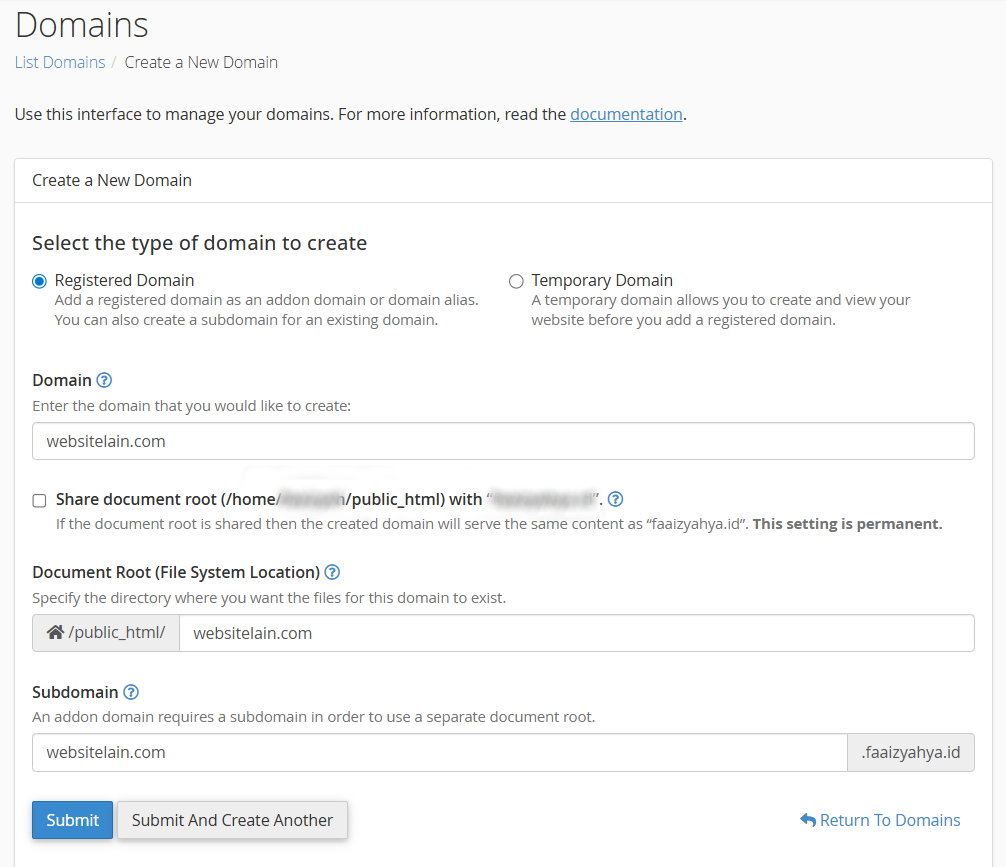
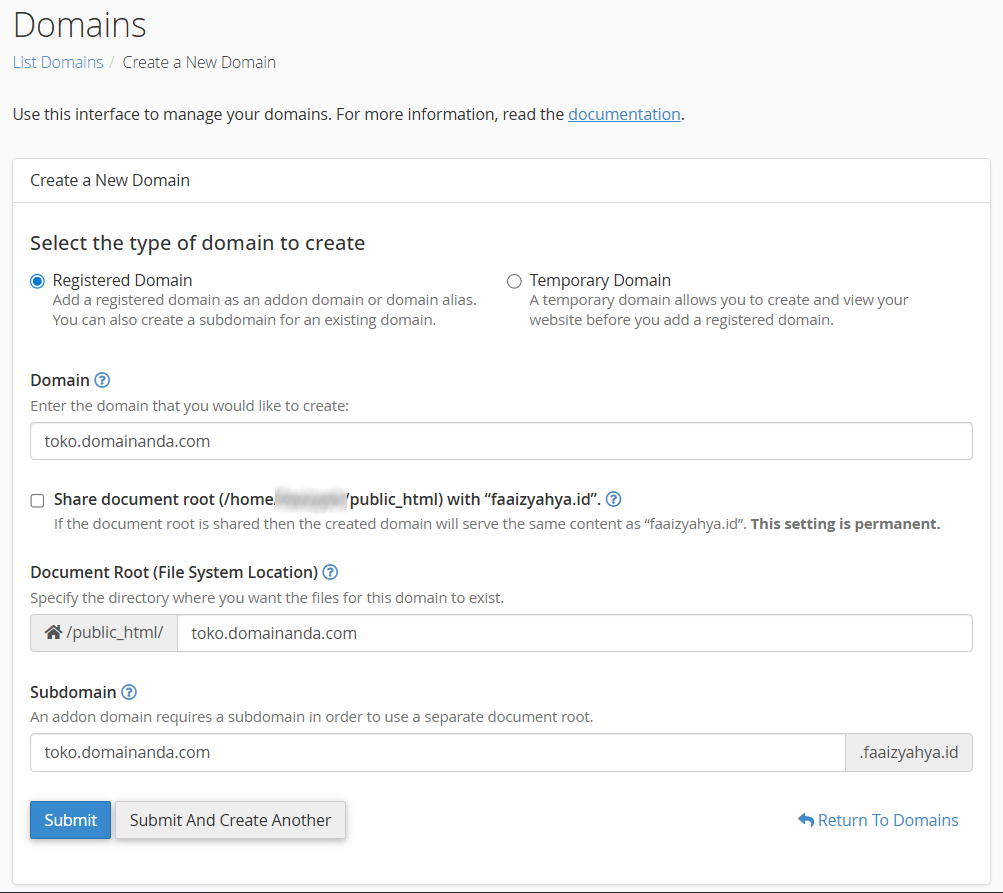
Enter your new domain name in the available field (for example: anotherwebsite.com).
-
Now, this is the part that must not be missed. Do not check the "Share document root" option. By not checking it, your new domain will have its own folder and will not mix with the main website files.
-
Click the Submit button.

Now your new domain is registered on the hosting. You just need to upload your website files to the folder that was just created by the system.
How to Create a Subdomain
If you want to create a new section like a blog or store within your main domain, the steps are almost the same:
-
Go back to the Domains > Create A New Domain menu.
-
In the domain name field, write it completely with the subdomain name. For example: store.yourdomain.com.
-
Just like before, make sure the "Share document root" option is not checked so that the file folders are separated neatly.
-
Click the Submit button.
In just a matter of seconds, your subdomain is ready to use. You can install WordPress or other applications specifically for that address.
Important Things About DNS
One thing that often confuses users is when a new domain or subdomain cannot be opened after creation. This usually happens because the domain has not been directed to the Flaz Cloud server.
For Addon Domain, make sure you have set the Nameserver of that domain to be the same as your main domain. As for subdomains, they will usually be active immediately if your main domain is already directed to Flaz Cloud. You may need to wait for domain propagation time of about a few hours until it can be accessed perfectly.
Additional Notes If an Error Message Appears
If a message appears that you have reached the maximum domain limit, it means your hosting package has a limit on the number of domains. You can consider upgrading your hosting package through the dashboard so you can accommodate more websites.
If you encounter any issues during the creation process, our support team is always ready to assist you through a support ticket. We will help ensure that all your domain settings are correct so your website can go live without any problems.
Was this article helpful?