
Want your own website address? Learn how to easily search and register a new domain name at Flaz Cloud in just a few minutes.
Having your own domain name is the most important first step in building your website's identity on the internet. Think of a domain as a home address that will make it easier for others to find your business or project online.
At Flaz Cloud, the process of searching and registering a domain name is made very simple. You can view the price list openly and activate instantly as long as your wallet balance is sufficient. Let's discuss step by step how to get your dream domain.
Step 1 Go to Domain Menu
Please log in to your Flaz Cloud dashboard. In the menu bar on the left, find and click the Domain menu. If you have never owned a domain before, this page will display a message that you don't have any registered domains.
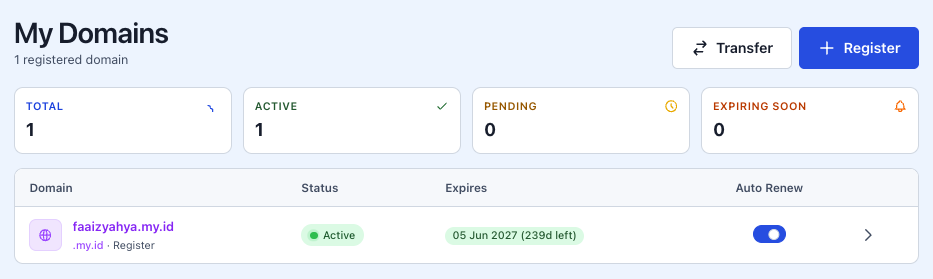
Click on the Register tab to start searching for the name you want. If you're a new user, make sure your account is ready by following the How to Register a Flaz Cloud Account guide so the registration process runs smoothly.
Step 2 Search for Domain
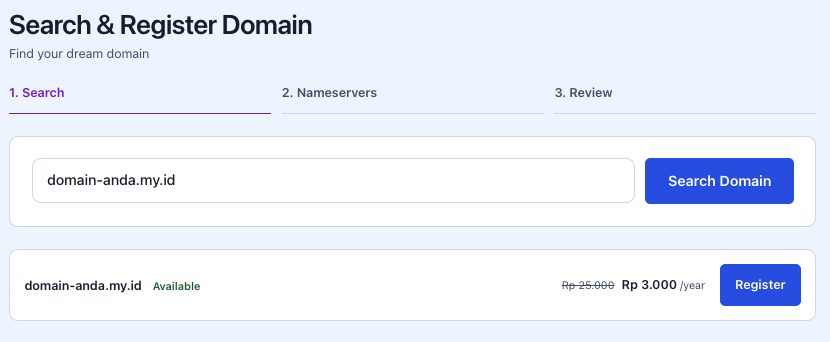
In the Search & Register Domain field, enter the website name you want. You can enter the full name with its extension like yourstore.com or just type the name and click Search Domain.
The system will display a price list for various types of domain extensions. You can choose from the most popular ones like .com and .net, or choose cheaper Indonesian local domains like .my.id or .biz.id. Also make sure your email is correct by checking How to Verify Your Flaz Cloud Account Email because domain ownership will be linked to that email.
Step 3 Complete Registration and Payment
If the name you're looking for is still available (Available), a Register button will appear next to it. Click the button and a new window will appear to confirm your order.
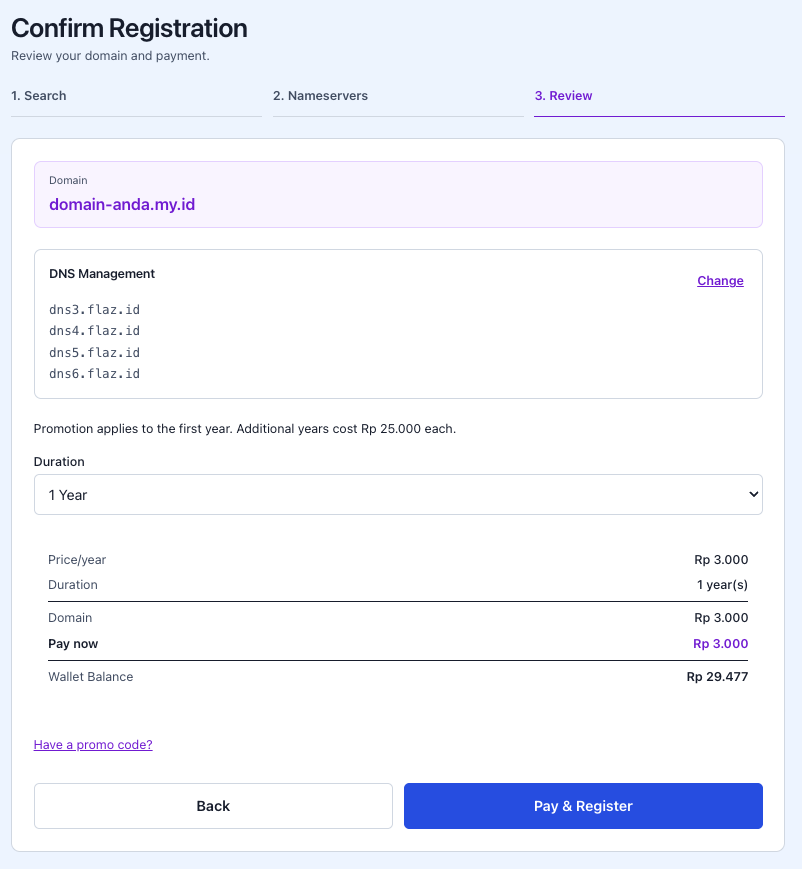
In this window, you can choose the registration duration, usually starting from 1 year. You will also see the total price you need to pay and your remaining wallet balance. If you have a voucher code, don't forget to click Have a promo code? to get a discount. Once everything is correct, click the Pay & Register button.
Step 4 Wait for Activation Process
After payment is successful, your domain status will initially show as Pending. This is normal because our system is registering that name with the registrar.
You can see detailed information such as registration date and domain expiration date on that page. Also pay attention to the Auto Renew feature which is usually in the On position. This feature will automatically renew your domain using your wallet balance when it's about to expire so your domain doesn't get taken by someone else.
Step 5 Domain Ready to Use
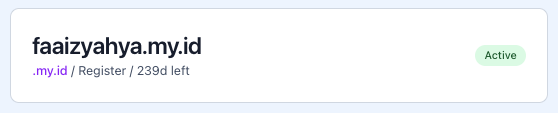
Wait a moment, usually it only takes less than 5 minutes for the status to change to Active with a green indicator. Once the status is active, you will also receive an official email from Flaz Cloud stating that your domain has been successfully registered.
Now the domain officially belongs to you and is ready to be connected to VPS or Hosting services. If you encounter any difficulties while searching for a name or during the payment process, don't hesitate to contact our support team through a support ticket so we can help check your registration status.
Was this article helpful?